
My Verizon For Business
Verizon Consumer GroupBusiness
4.72.87K Reviews
- Version
- 6.8.0
- Installs
- 500.00K
- Age Rating
- Everyone
Screenshots
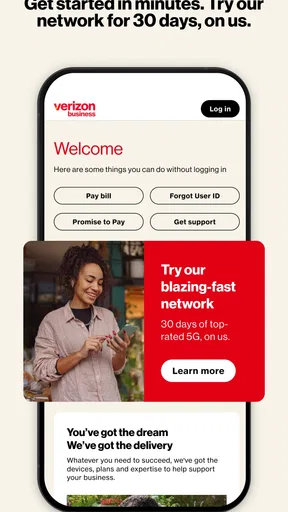
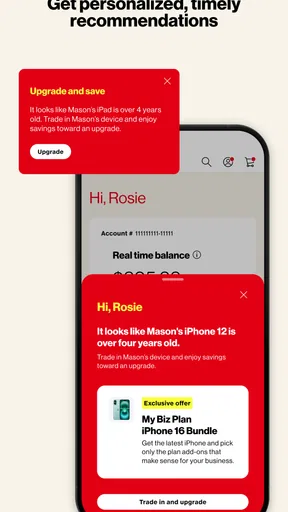
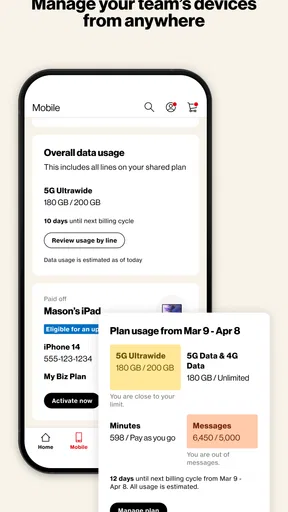
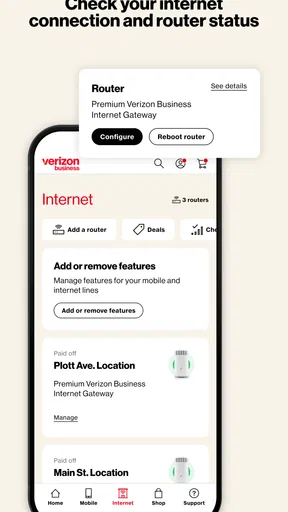
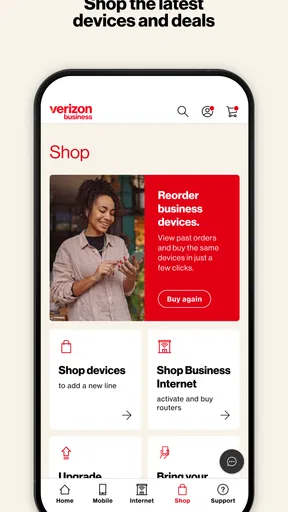
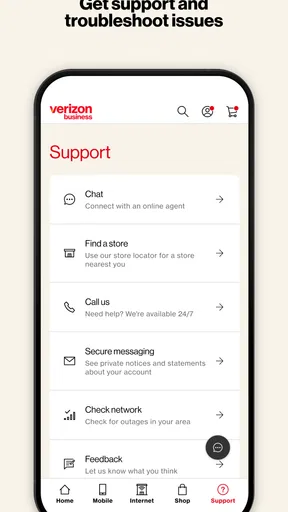
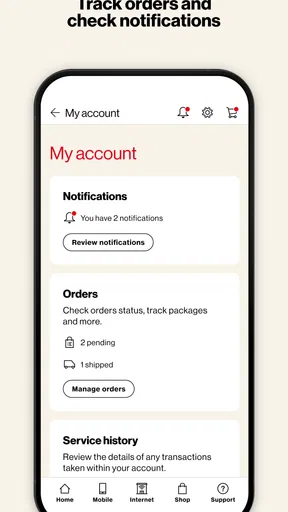
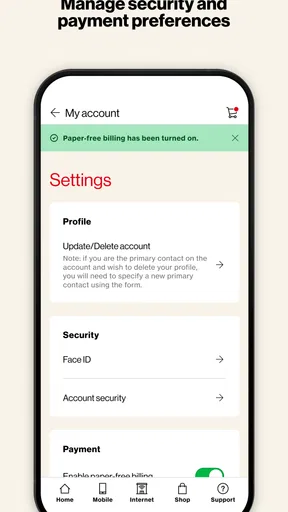
Our Review of My Verizon For Business
 Analysis by Appyee
Managing a business mobile account from a phone sounds simple until you need to check a line, review account details, or deal with a service issue while away from a desk. My Verizon for Business is built for that situation: it is a free business-account app from Verizon Consumer Group that puts account management within reach on Android devices. I found its strongest appeal in convenience rather than in any single flashy tool. It is meant to reduce the need to open a browser or call support for routine account tasks.
The app belongs to the business category, carries an Everyone age rating, and has been available since May 25, 2016. Its current version is 6.8.0 and it requires Android 7.0 or later. That makes it relevant to people using a wide range of still-supported Android phones, although compatibility alone does not guarantee that every business account will expose the same options after signing in.
My overall impression is practical: this is most useful when your work depends on Verizon services and you want a mobile control point for the account. It is not a replacement for a full business operations platform, accounting software, or a help desk. It is a focused companion for Verizon customers, and its value depends heavily on whether you already manage eligible Verizon business services.
What the free access actually offers
The most important cost detail is straightforward: My Verizon for Business is free to download and use as an account-management app. There is no purchase price attached to installing it. That matters for a small business owner who wants a convenient way to handle an existing Verizon relationship without adding another app fee to the monthly budget.
That free access should be understood correctly. The app does not turn Verizon services into free services. It is a management tool for an account, so any mobile, internet, device, or other business services connected to that account remain separate from the app itself. I would judge the application on the time and effort it saves, not on the assumption that installing it changes the cost of the underlying service.
This distinction is especially useful when comparing it with alternatives. A mobile browser may also let you reach an online account at no extra app cost, while a general business-management platform may charge for broader features such as invoicing, team workflows, or reporting. My Verizon for Business sits in a narrower space: it offers free access to Verizon account management, but its usefulness is tied to that provider and to the services attached to your login.
There is also a practical access question before you install it. You need a relevant Verizon business account and the ability to sign in. Someone researching Verizon as a potential provider, or someone who only wants a general tool for managing staff and expenses, will not get much value from this app. In that case, the free price is not enough to make it a sensible download.
The app has a 4.7 average from around 21 thousand ratings, with roughly 2.9 thousand written reviews. Those figures suggest that many users find the basic experience worthwhile, but I would not treat them as a guarantee for every business setup. Account permissions, service combinations, and the reason you are opening the app can all change how useful it feels.
Where the value appears in daily work
The clearest benefit is having account information available when the person responsible for the business is not sitting in front of a computer. Imagine a shop owner closing for the evening when a staff member reports a problem with a company phone. Instead of waiting until the next morning to reach a desktop, the owner can open the app, sign in, and begin checking the business account from the phone already in hand. That does not promise an instant fix, but it shortens the path to understanding what needs attention.
I also see value for people who divide their time between customer visits, job sites, deliveries, and an office. A browser-based account can do similar work, but a dedicated app is easier to keep available for repeated use. You do not need to remember which browser tab contains the account, and you can approach routine checks as part of a mobile workflow rather than treating them as an office-only task.
Another useful angle is responsibility. In a small company, the person who owns the account may not be the person using every line or device. A mobile account tool can help the account owner stay involved without physically handling each employee’s phone. The benefit is not that it replaces internal communication; it is that the owner has a direct place to start when a service question comes up.
For a larger organization, expectations should be more measured. A business with formal telecom administration, multiple approval layers, detailed asset tracking, and strict reporting requirements may need dedicated enterprise tools or a browser dashboard designed for more complex oversight. This app is better suited to quick account interaction than to becoming the central system for every technology process in a company.
How I would use it efficiently
My first tip would be to decide what you want to accomplish before opening the app. Mobile interfaces are convenient, but they are not always the best place to explore a complicated account. If the task is a quick check or a straightforward account action, the phone is a good fit. If you need to compare many details, document a long issue, or coordinate several people, a larger screen and a written checklist may be more comfortable.
My second tip is to treat account access as a work responsibility rather than as a casual app login. Use the account belonging to the right business administrator, and avoid passing a personal sign-in around the team simply because the app is installed on one phone. The app can make access easier, which is helpful, but convenience also makes it important to keep control of who is using the account.
A third practical insight is to use the app as the first step in a troubleshooting record. When a problem appears, note the affected employee or line, the time it began, and what you see in the account before contacting support. This can make a later conversation more focused. The app is most valuable when it helps you gather context quickly, not when you expect it to solve every unusual service problem by itself.
I would also keep the app updated when possible, particularly because the installed version is 6.8.0 and the application has been maintained across several years. Updates can matter for compatibility and account access, but I would still keep the browser route available as a backup. A business should not rely on a single mobile interface when a service issue is already affecting work.
Tradeoffs compared with the usual alternatives
The obvious alternative is signing in through a mobile browser. The browser has one important advantage: it can be easier to use when the account website presents more information or when you need to move between several pages. It is also useful if your Android phone cannot meet the app’s minimum requirement of Android 7.0. On the other hand, the dedicated app feels more focused for repeated account checks and avoids some of the friction of finding the correct website each time.
A second alternative is contacting Verizon support directly. Support is the better route when the issue requires investigation, a complex change, or help that cannot be handled through a self-service screen. The app is better for getting oriented before that conversation. I would not choose between them as if one makes the other unnecessary: the app can reduce avoidable support contact, while support remains important for exceptions and problems that need human intervention.
A third alternative is using a general business platform. Those tools are stronger when the task involves payroll, invoicing, staff scheduling, inventory, customer records, or broader reporting. My Verizon for Business does not compete with them on scope. Its advantage is provider-specific account access. If your main concern is managing Verizon services, a general platform may be excessive; if your main concern is running the whole company, this app is too narrow.
That narrow focus is both the main strength and the main limitation. I like that the app does not pretend to be a complete business suite. However, a user expecting a unified dashboard for every operational task may feel disappointed. The app should be installed because you need Verizon account management on a phone, not because the word “business” suggests a full office toolkit.
There can also be friction in mobile account work. A phone screen is convenient for a quick action but less comfortable for reading dense account information, comparing several items, or entering a detailed explanation. If you are managing a complicated issue while under pressure, the app may get you started without being the ideal place to finish everything. That is a realistic tradeoff rather than a defect unique to this product.
Who will get the most from it
I would recommend it first to a small-business owner, office manager, or designated account administrator who already uses Verizon business services and often works away from a desk. The free installation makes it easy to try, and the mobile format fits people who need account awareness during the day rather than only during scheduled office time.
It is also a reasonable choice for a business with a modest number of users where one or two people handle account questions. In that environment, the app can serve as a convenient first stop when someone reports a problem or asks for account-related help. The value comes from reducing delay and keeping the responsible person connected.
I would be more cautious for a company that needs extensive delegation, formal approval workflows, or detailed telecom reporting. Before making it part of a larger process, I would test the actual account with the intended administrator and confirm that the screens support the tasks the team performs most often. The app’s strong public rating is encouraging, but a rating cannot substitute for checking whether it fits your organization’s structure.
People who do not have Verizon business services should skip it. So should anyone looking primarily for a general expense manager, project tracker, customer relationship tool, or employee communication app. Installing a free application is still a cost in time and attention, and this one makes sense only when its provider-specific purpose matches your needs.
Questions I would answer before installing
Will it replace the desktop account experience? I would not assume that. It is a convenient mobile route, especially for quick checks and account actions, but a browser or larger screen may be preferable for detailed work. I see it as an additional access point rather than a reason to abandon every other method.
Is it useful for a single-person business? Yes, if that business uses Verizon services and the owner wants account access while traveling or working on-site. In fact, a solo operator may notice the time savings more clearly because there is no separate administrator available to handle routine account questions.
Is the free app enough to manage a whole company? Usually, I would frame it more narrowly. It can support the Verizon account side of the job, but it should not be mistaken for a complete business-management system. Companies with broader operational needs will still need other tools.
What if the task is urgent? Open the app first if you need to understand the account situation, but do not spend too long searching if service is actively disrupting work. Move to Verizon’s support route when the issue needs investigation or when the available account controls do not address it. The best workflow is often app first, support second, with notes ready.
Does the Everyone rating make it suitable for every employee? It describes the app’s content rating, not the access level each employee should have inside a business account. I would still limit use to people who need account responsibility and follow the company’s own access practices.
My buy-or-skip verdict
Because the app is free, my verdict is less about purchasing and more about whether it deserves space on your phone. For an existing Verizon business customer, I think it is worth trying. The combination of mobile convenience, a focused purpose, and a 4.7 average makes a strong case for keeping it available, especially if you regularly work away from a desk.
Its reach is also substantial, with over 500 thousand installs, which fits the picture of an established account companion rather than an experimental utility. Still, popularity does not remove the central qualification: the app delivers value only when your business relationship with Verizon gives you something relevant to manage.
I would skip it if you want broad business software, if you rarely need account access outside a computer, or if your company already has a better-approved workflow for telecom administration. In those situations, the browser, direct support, or a larger business platform may be more appropriate.
For the right user, the real advantage is not extra complexity but faster access to the account you already depend on. I would install My Verizon for Business on a compatible Android phone, test it with the account administrator, and keep a browser or support option available for more involved tasks. That makes it a sensible free companion, provided you judge it as a Verizon account tool rather than as an all-purpose business app.
Verdict
Strengths of My Verizon For Business
- Quick access to business account balances, bills, and payment details.
- Manage multiple business lines and services from one dashboard.
- Usage tracking helps monitor data, calls, and messaging consumption.
- Support options are easy to find within the app.
- Useful alerts can help prevent missed payments or service issues.
Limitations of My Verizon For Business
- Some account changes may require contacting Verizon support directly.
- The interface can feel crowded when managing many business lines.
- Performance may vary after major app updates or on older devices.
- Certain features depend on your administrator permissions.
- Detailed billing information may take time to load or update.
Other Releases by Verizon Consumer Group
View All
My Verizon
Lifestyle4.5

Verizon Family
Lifestyle4.4
Similar Picks in This Category
View All
LinkedIn: Community & Network
LinkedIn3.8

Zoom Workplace
zoom.com4.1

Microsoft Teams
Microsoft Corporation4.6

Meta Business Suite
Meta Platforms, Inc.4.6

Webex Meetings
Cisco Systems, Inc.4.5

TeamViewer Remote Control
TeamViewer4.4
Frequently Asked Questions
What is My Verizon for Business used for?
My Verizon for Business is Verizon’s account-management app for business customers. It lets administrators and authorized users review wireless and other eligible business services, monitor usage, view or pay bills, manage account details, check orders, and access support. Available tools can vary depending on your company’s Verizon products, account permissions, billing setup, and the app version installed.
Who can sign in to My Verizon for Business?
The app is intended for Verizon business customers, including account owners, administrators, and users who have been granted appropriate access. You generally need valid Verizon Business login credentials, and some organizations may require additional verification or security approval. If you cannot access a specific account, feature, line, or billing area, your company administrator may need to update your permissions.
Can I pay bills and manage payments through the app?
Eligible users can typically view billing information, review invoices, check balances, make payments, and manage certain payment settings from My Verizon for Business. The exact options depend on your account type and permissions. Before submitting a payment, carefully confirm the amount, payment method, and account details, because business billing arrangements may include multiple locations, lines, services, or separate invoices.
Can My Verizon for Business manage employees, lines, and devices?
Depending on your Verizon Business account and administrator role, the app may allow you to review lines, monitor data or service usage, manage selected features, and access device or order information. It is not necessarily a complete replacement for every enterprise management portal. Advanced controls, bulk changes, security tools, and specialized services may still require the Verizon Business website or another Verizon platform.
Is My Verizon for Business free, and what should I check before downloading it?
The app is generally available to eligible Verizon Business customers without a separate app purchase, but your Verizon services, data plan, and account charges remain subject to your business agreement. Before downloading, verify the developer is Verizon, check device compatibility, review requested permissions, and confirm that your organization uses a supported Verizon Business account. Keep the app updated for security and reliability.
